
Choosing a Message Category
Choosing a Message Category
By default, when first opening Message Express, a message category simply named General is selected. It may be used to send your first message.
In the list of Message categories, a (+) button allows you to add and name new categories.
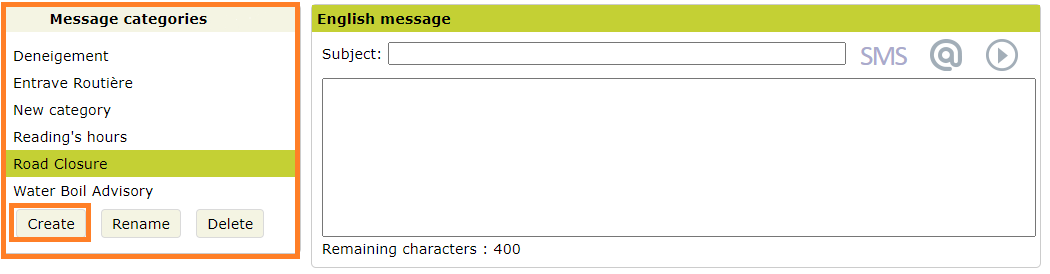
In the image above, the Boil water advisory is selected. The window on the right allows you to write the text you wish to send.
If you are wondering how these categories can help you, just remember at this point that it is possible to prepare the layout of messages in advance so that when the time comes, if there is an emergency, you will not have to worry about presentation details. For example, you don't want to have to add a logo or customize a signature every time you need to send a quick message.
Message Express has been designed to help you save time when sending mass communications. All you have to do is choose from a number of pre-configured message categories. For each category, you can prepare sets of three corresponding templates: text version, email version and voice version (automated).
Once you have chosen a category, you can write a message.